A Cambrian Explosion of Personal Software
Some of the personal software projects I've built this year, along with lessons learned.
It’s difficult to overstate just how transformative AI coding tools are. You really can build almost anything. No longer limited by the laborious process of writing and debugging code, people are unleashing their creativity and using them to build incredible motion graphics, reverse-engineer their Apple TV remotes, turn cheap digital photo frames into home dashboards, and even hack their smart TVs.
Below are a handful of personal projects I’ve worked on so far this year, followed by some advice and lessons learned.
-
Casita
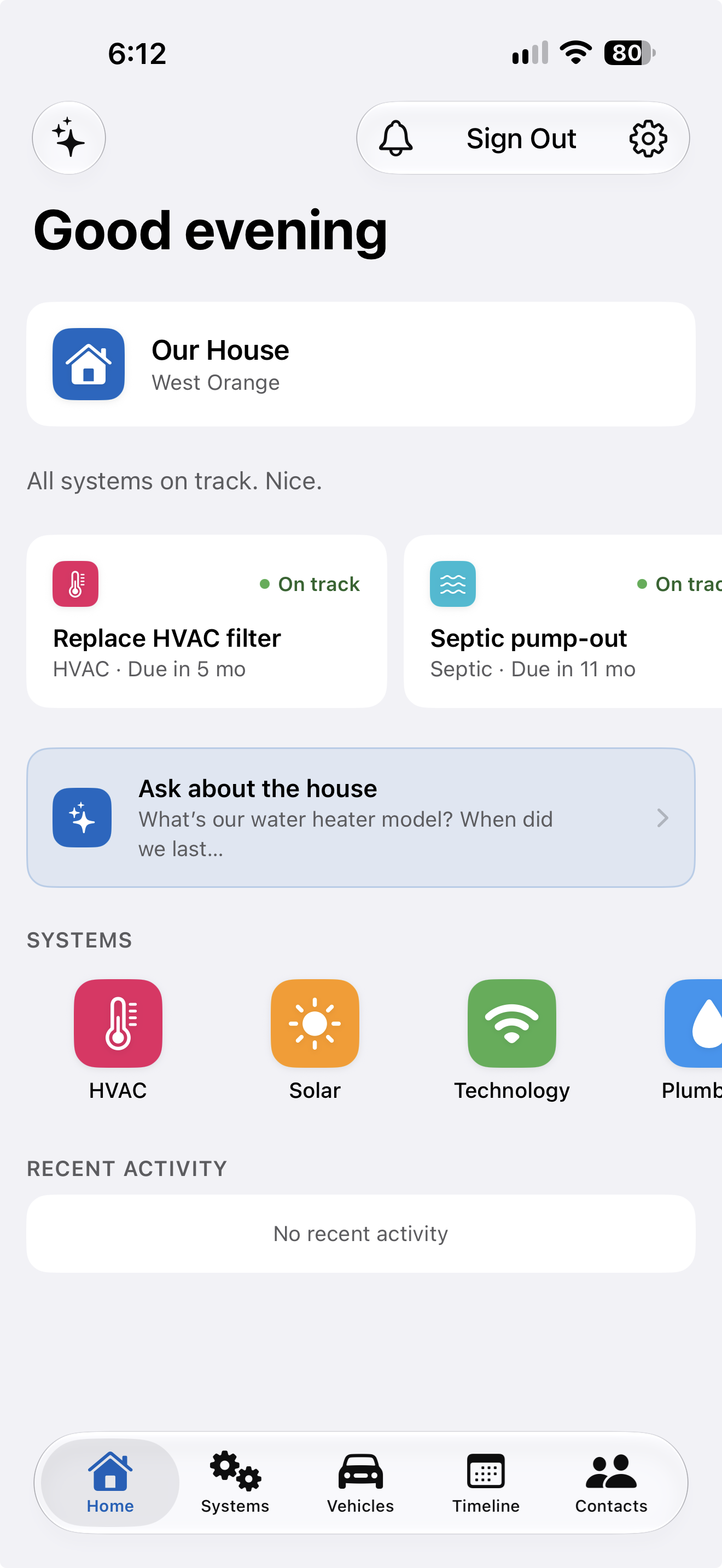
Owning a home is exhausting. There are dozens of things to keep track of, all scattered throughout the house and among digital and paper records. For the collective sanity of my husband and me, I decided to build an iPhone app that would collect it all in one place. Now, either of us can open the app and quickly find answers to frequent and infrequent questions:
- What model of air filters does our HVAC system use?
- When is our septic system next due for a pump-out?
- How old is our water heater and what model is it?
- Who do we call for plumbing issues?
I added an MCP server so the app’s information is accessible to AI assistants like Claude Duet. Casita was originally an Expo app with a Supabase backend. I recently converted it to a native SwiftUI iOS app and moved the backend to Cloudflare Workers.
-
Counterpoise
Of all my personally developed apps, this is the one I use the most. I’ve continued to develop Counterpoise and even maintain an open-source version of the app. I built a companion SwiftUI iOS client and migrated the server from a self-hosted Docker image with PostgreSQL to Cloudflare Workers and Durable Objects.
-
ClipBot
Copying and pasting should be a lot smarter than it is. While there are numerous third-party clipboard managers out there, I decided to just build my own. ClipBot not only keeps a history of my copied items, but it also detects certain content and offers quick actions in a small pop-up window immediately after copying:
- Compose a new email to a recipient when an email address is detected
- Open a Finder window for the containing folder when a file path is detected
- Show an address in Maps when an address is detected
- Open a link in the browser when a URL is detected
- Create a calendar entry when an event is detected
I even added support for custom rules, so I can define actions for copied text that matches a regular expression. For example, at work we use Jira for issue tracking. I’ve defined a rule that matches our common ticket formats (think “ABCD-12345”) and offers an action to open the corresponding Jira URL for the ticket when detected. ClipBot can even act as a remoclip server so I can copy and paste items when connected to remote systems over SSH.
-
Meadow
Software doesn’t have to be serious! I decided to make my Mac desktop a little nicer to look at and had Claude build an app that “grows” a garden across the bottom of the screen, complete with birds, butterflies, bees, and even a gentle breeze that is influenced by nearby moving windows.
-
Momentum
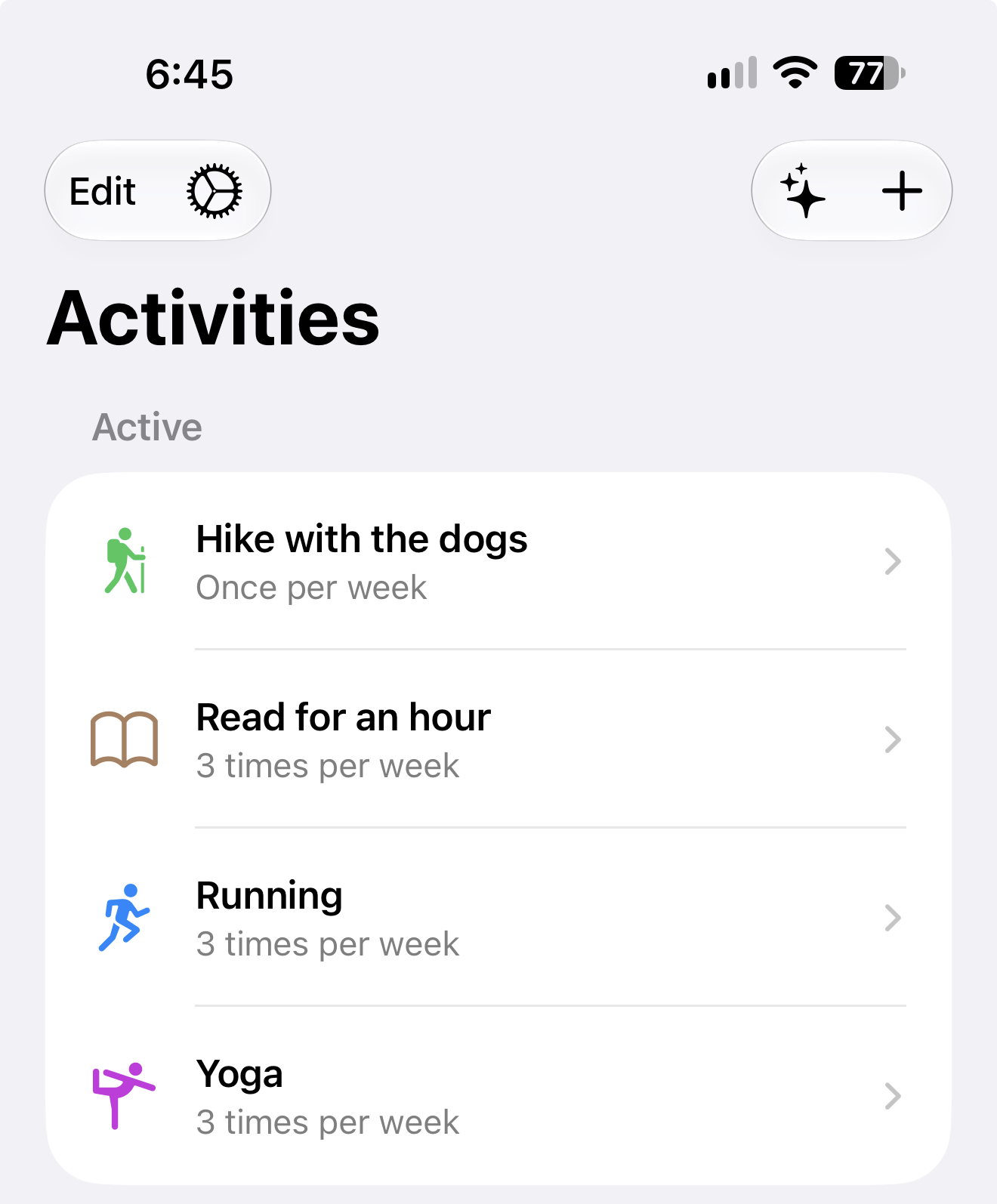
Momentum is a simple app to help me track activities I want to do at some frequency, but not necessarily on a fixed schedule. This might mean fitness-related goals, leisure activities I want to make time for, or even learning new things. The app will send me periodic nudges via notifications if it sees that I’m not meeting my desired frequency goal for any entered activity.
Lessons Learned
Initial Design
In the olden days of software development (pre-AI), it was important to think carefully about the design of a software product before starting to write any code. This was because writing code was difficult and time-consuming, so the penalty for implementing a poor design was quite severe: you’d need to rewrite significant amounts of code to adopt a better design. This is no longer the case! A modern coding agent is more than capable of rewriting your code, whether that is to implement a new design, use a different framework, or even switch to a different programming language.
For personal software, the penalty for not choosing a good design up front is minimal. So just focus on getting an initial version up and running. Using your software is what will point you toward a better design. You’ll quickly identify deficiencies and pain points, and sometimes the solution might involve a major change in architecture. That’s okay! Let the agent handle it; that’s what it’s great at.
Issue Tracking
Building tools and apps with AI coding tools is fun and empowering. I think we are all still in the early stages of figuring out how to use them most effectively. The typical method of opening Claude Code or Codex and asking it to implement a new feature works okay, but can quickly become cumbersome as you accumulate multiple sessions and fractured context. I’ve found that an issue management system is quite helpful when building personal apps. I started out using Beads, a CLI tool that agents and I can easily use to track work, but soon found its version-controlled SQL backend to be a bit too complicated to manage for my needs. I switched to a simpler port of Beads, beads_rust, for some time, but eventually decided to just have Claude build a custom version loosely based on beads_rust. My version, brr (for beads rust remote), moves away from “local-first” issue tracking to a central server. Hosted via Cloudflare, it has a number of features designed around the way I work:
- A simple CLI tool with token authentication allows agents running locally and in cloud sandboxes to view and modify issues
- Agents can mark issues as needing human input when they require a decision from me to continue, which will trigger an email notification
- Issues are scoped by project, but multiple projects can be linked together so cross-project work can be managed
- An admin UI allows me to view issues across all projects
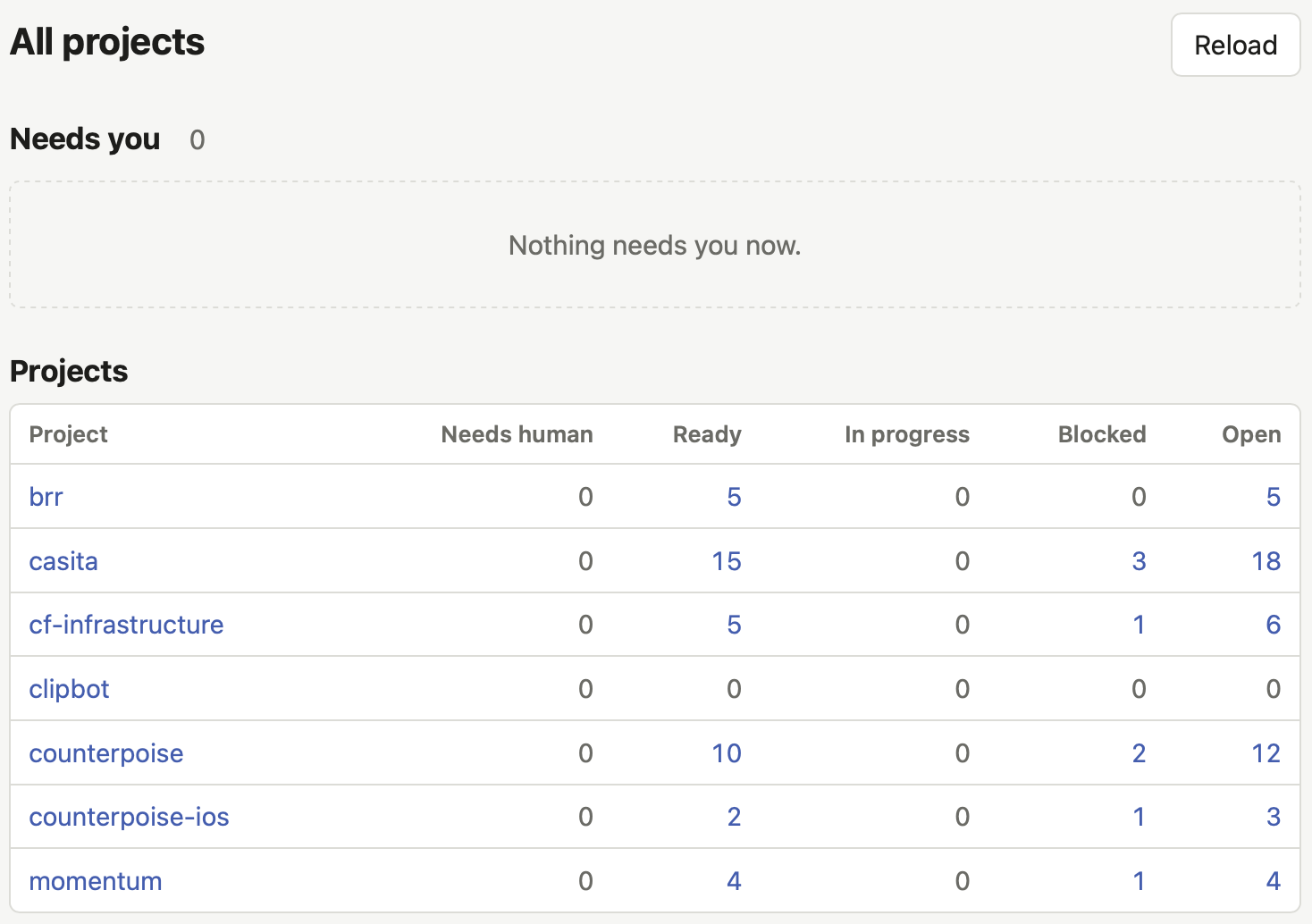
This issue tracking system allows me to build up a backlog of features that I want to build in my apps. Issues can store extensive details, so I can go through the planning steps with the agent and everything gets recorded directly in the issue. I can ask the agent to work on any ready issues, and it will query brr, select an issue, and work on it. It closes the issue when the work is done, or even marks it as “needs human” if it decides my input is required before continuing.
The cross-project feature is very useful when I need to make changes across multiple projects. For example, the Counterpoise server and iOS client are in separate repos, so adding a feature to the server sometimes requires a corresponding change in the client. The agent working on the server feature can create an issue in the iOS client project, which can then be picked up by another agent dedicated to working on the iOS client.
Infrastructure Management
Most of my apps have some sort of server component, and there are countless ways to host them. Options include local Docker containers, Cloudflare Tunnel, Tailscale, or a VPS like Amazon EC2. I’ve tried all of these, and eventually settled on a serverless approach that doesn’t require anything to run on my laptop: Cloudflare Workers and Durable Objects. Durable Objects are essentially small servers, each with its own SQLite database, that Workers can call. The combination of the two provides a wide range of capabilities that cover most of what an always-on server can do, with the significant added benefit of not having to configure, maintain, and secure a dedicated server.
Cloudflare provides a lot of tools to help agents deploy Workers and Durable Objects, as well as manage other Cloudflare services like Access and object storage. While it’s great that agents can take care of infrastructure setup themselves, I started to worry that it was turning my Cloudflare account into a messy mix of “production” apps that I rely on and numerous half-finished or one-off experiments. I decided to impose some order by creating a dedicated repository for Cloudflare management using the OpenTofu infrastructure-as-code tool. This created a nice division of responsibilities, where a specific set of Cloudflare resources is managed via OpenTofu and app-specific resources are managed within their own repositories. Order restored!
| Cloudflare resource | Managed in |
|---|---|
| DNS zone and records | Infrastructure repo |
| Custom domains for Workers and Pages | Infrastructure repo |
| R2 buckets and D1 databases | Infrastructure repo |
| Access apps and policies | Infrastructure repo |
| Email Routing and notification policies | Infrastructure repo |
| Worker code, bindings, and cron triggers | App repo |
| Durable Object classes and migrations | App repo |
| D1 schema migrations | App repo |
| Worker secrets | App repo |
I use brr’s cross-project feature to link every project that uses Cloudflare to the infrastructure project so configuration and deployment can be coordinated. I highly recommend this approach if you decide to use Cloudflare to host your tools and apps.
Back to building!